Showing posts with label ERROR. Show all posts

Wednesday, May 17, 2017

Word breaking timed out for the full-text query string

Recently I encountered this error while working on Microsoft Sql Server 2008. The error description as below:

"Word breaking timed out for the full-text query string. This can happen if the wordbreaker took a long time to process the full-text query string, or if a large number of queries are running on the server. Try running the query again under a lighter load."

I found common workarounds for the issue.

Solution 01

You can increase the ISM size by using the sp_fulltext_service stored procedure as follows. Please note that you need to restart the SQL Server service for this change to take effect.


--To show the current value:
sp_fulltext_service 'ism_size' 

---To change the value to 16:
exec sp_fulltext_service 'ism_size',@value=16

Solution 02

Set the VerifySignature to 0

SELECT FULLTEXTSERVICEPROPERTY('VerifySignature');
GO
-- if 1, then turn off verify_signature
EXEC sp_fulltext_service 'verify_signature', 0;
GO

If you want to read more on this issue refer:

  • https://social.msdn.microsoft.com/Forums/sqlserver/en-US/1e7d15d3-818f-4db3-b760-b897b91973ae/sql-2008-word-breaking-timed-out-for-the-fulltext-query-string?forum=sqlsearch
  • https://social.msdn.microsoft.com/Forums/sqlserver/en-US/699221f0-a850-4f1d-b1db-a067a172f866/sql-server-timeout-is-by-design-when-using-fulltext?forum=sqlsecurity
  • https://social.technet.microsoft.com/Forums/en-US/a0718411-d0ec-49a8-bfff-d5cb9e04208b/full-text-timed-out-exception?forum=transactsql

Monday, September 29, 2014

An unhandled Microsoft .NET Framework exception occurred in w3wp.exe

I encountered this error while developing a website with web forms in asp.net 4.5.1 I ran it with IIS.
It worked good earlier. Suddenly it threw an exception, when I debugged it. Message was "An unhandled Microsoft .Net Framework exception occured in w3wp.exe [XXXX]"


There were couple of workaround to bring it back to the previous.

Solution 01:
Try running visual studio "As Administrator". If the issue is still there please follow solution 02

Solution 02:
Try to find the message in event viewer something similar to this:

"Description: The process was terminated due to an internal error in the .NET Runtime at IP 6B484BC2 (6B300000) with exit code 80131506."

If it is there, It was caused by updates of .Net Framework 4.5. Try uninstalling last update. It might solved the problem.

You can check event viewer in following path.

Visual Studio > View > Server Explorer > SERVER_NAME > Right click on "Event Log" > Launch Event Viewer > Windows Logs > Setup.

Solution 03:
If the problem still exists, Try installing hot fix from following link:
Unhandled exceptions cause ASP.NET-based applications to quit unexpectedly in the .NET Framework:

Solved: How To Fix a 503 Service Unavailable Error

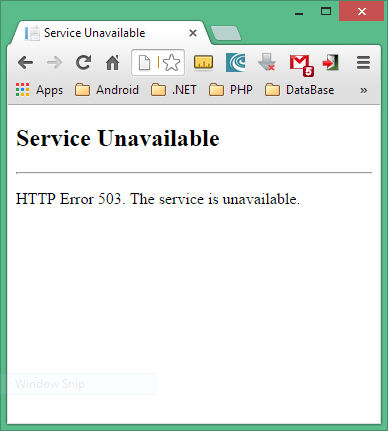
The 503 Service Unavailable error displays inside the browser window, just as web pages do. HTTP Error 503. The service is unavailable in IIS  is caused if application pool is paused or disabled as shown in the picture below


The 503 Service Unavailable error is a server-side error which means the problem is usually with the web site's server. It can be a local server or public server.

Steps to solve HTTP Error 503: The service is unavailable.

Open IIS Manager and follow below image: